A visitor tool’s company domain is a candidate for account matching. It is not proof of who visited. Clearbit Reveal, for example, maps an IP address to a company, not a person, and supplies a confidence score. Keep that source, score if available, and observation time with the row.
Use the CRM first
HubSpot can hold several domains on one company record. A parent-child link has a different effect on activity history. HubSpot’s contact association uses the contact’s email domain, which is a separate input from visitor identification. Salesforce has account duplicate rules, and LeanData can handle multiple matches and parent accounts.
Route a current, trusted domain match to its existing account. Use domain analysis only for exceptions:
| CRM state | Route |
|---|---|
| One current, trusted match | Keep the account ID. |
| No match | Check the candidate operator before creating an account. |
| Several matches or a parent group | Ask the account owner to apply the hierarchy and territory rule. |
| Weak or failed analysis | Keep the row unresolved. |
A domain’s mail records do not verify a person’s address. Check contacts separately before outreach.
Worked account choice: loom.com
Atlassian’s annual report says it acquired Loom in November 2023. Suppose a visitor tool supplies loom.com, but the CRM holds only atlassian.com. Queue the row for an account owner to decide whether Loom needs a separate account or a parent link. Do not add it to the Atlassian record from the acquisition fact alone.
Neon says it joined Databricks in 2025. A neon.tech row needs the same account-rule check. These are public corporate relationships, not observed visits or fresh WhoisGenius results.
Test the exception rule
- Export a week of visitor domains and account IDs chosen by current rules. Keep source confidence if the visitor tool supplies it. Set aside unmatched and disputed rows.
- Open CRM review. Sign in if prompted. You will return to that workspace without API key setup.
- Upload or paste a CSV with
row_id,account_id,baseline_decision, andcandidate_domain. Keep one unique row ID per original row. Leaveaccount_idempty for unmatched rows. - Submit up to 50 unique domains, then choose Check saved results.
- Open each saved result to review the evidence.
- Download the review CSV before closing this tab. Row context survives reloads but is saved only in this tab. The CSV includes your original decisions, qualified operator results, job links, and blank reviewed account IDs.
- Have an account owner set a reviewed answer. Compare correct IDs, wrong IDs, unresolved rows, and review time with the original route.
Repeated domains share a job while retaining every row. No CRM records are written.
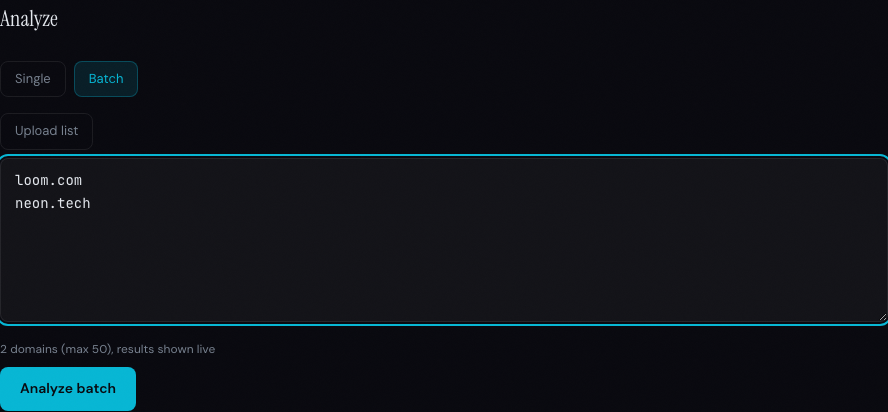
This Batch screenshot came from a stubbed test session. No analysis was submitted. The test above is a proposed evaluation, not a measured lift.
For the API, send up to 50 domains to POST /analyze/batch and poll GET /jobs/{job_id} for each accepted job:
curl -X POST https://api.whoisgeni.us/analyze/batch \
  -H "X-API-Key: YOUR_KEY" \
  -H "Content-Type: application/json" \
  -d '{"domains":["loom.com","neon.tech"]}'
A fresh analysis uses one credit, even if its result is inconclusive. New accounts get 75 credits with no card. If the reviewed test helps, buy a one-time pack on pricing or use Buy credits in the dashboard.