Look up grammarly.com the traditional way and you get almost nothing. The WHOIS record is redacted behind a privacy service. The site is behind Cloudflare, so the network resolves to the CDN, not the company. The two signals investigators lean on most, registration and hosting, are both dead ends.
Now look at the page.
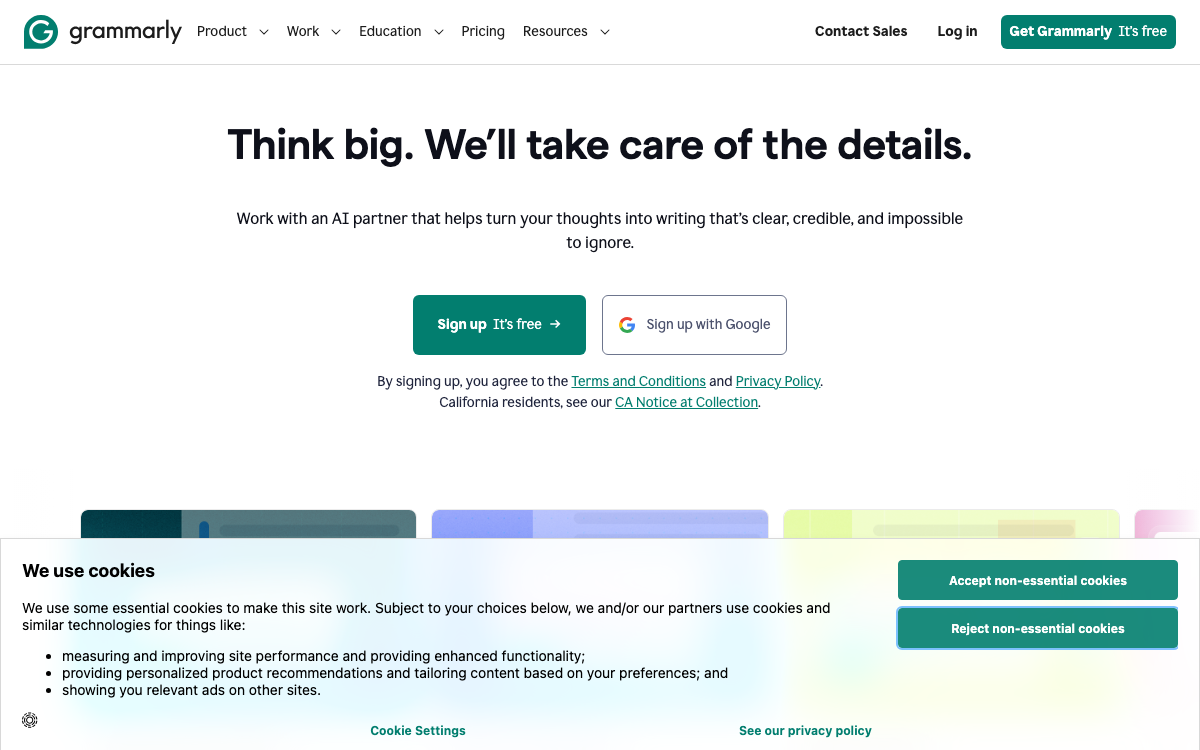
A person knows who runs this domain in about half a second. The logo says Grammarly. The whole identity says Grammarly. The hard part is teaching software to read what a human reads at a glance, and that is exactly what the visual signal does. WhoisGenius captures a screenshot of the page and reads the wordmark, the logo, the tagline, and the copyright line, the same cues you just used. On grammarly.com it returns Grammarly, Inc. at full confidence, and the page is the signal doing the work, because the registry and the network had nothing to give.
Why the page survives when everything else is redacted
The signals that traditionally answer “who owns this” are the ones most easily hidden now. Registration data is redacted by default. Contact emails are proxies. Hosting resolves to a shared CDN. Every one of those can be made to say nothing.
The page cannot. If a domain wants visitors, it has to show them who it is. A brand that spent years building recognition puts that recognition front and center: the logo, the product name, the color system, the copyright holder in the footer. Those are deliberate, expensive signals of identity sitting in plain sight, and a screenshot captures all of them at once, exactly as a visitor sees them. Redaction never touches the page, because the page was never in the registry.
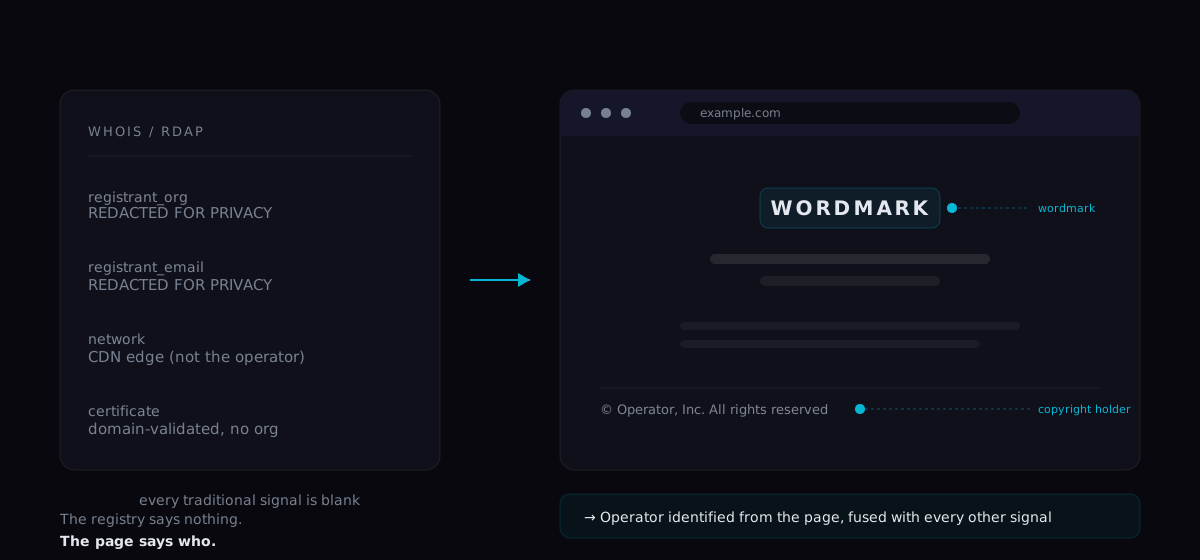
The signal, not the only signal
The visual read is not a replacement for the others. It is one more independent source that gets fused with the rest, and it earns its weight in specific situations. Take proton.me:
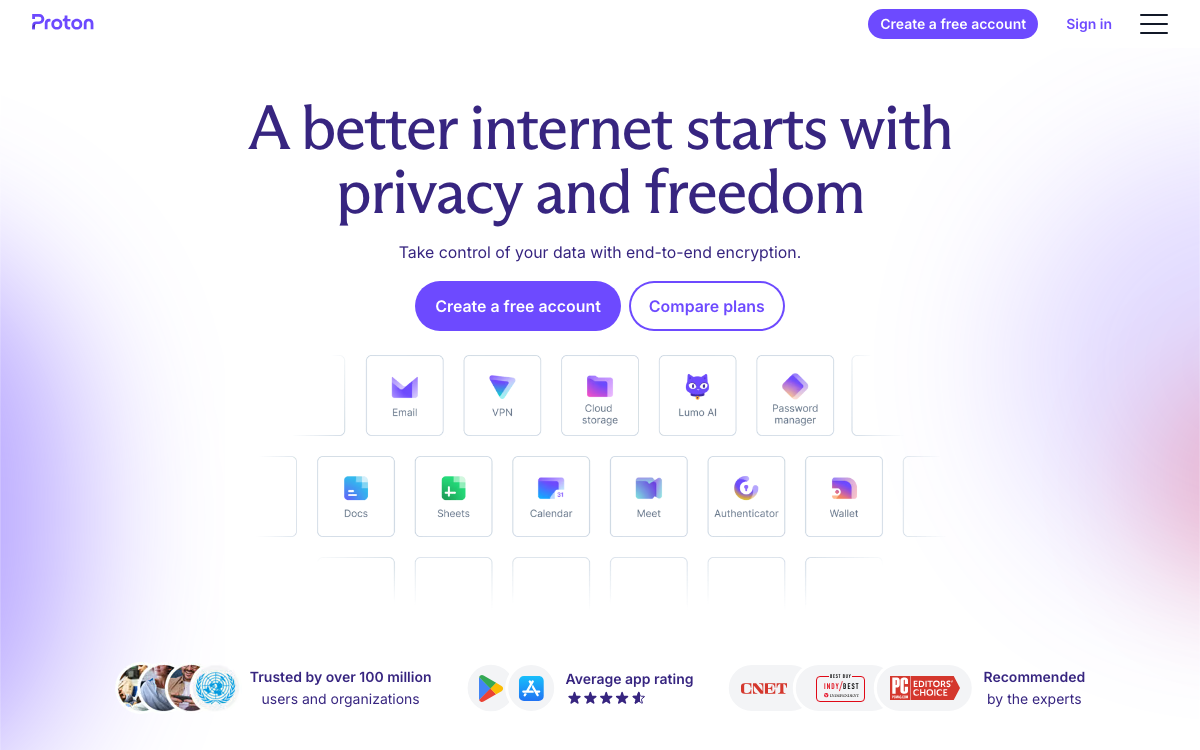
Proton’s WHOIS is redacted too, but here a second signal also fires: Proton is large enough to run its own network, so the routing points back to Proton AG on its own account. The page and the network agree, and WhoisGenius returns Proton AG at full confidence. That is the pattern that makes fusion work. Grammarly was carried by the page; Proton was corroborated by the page and the network together. A tool that only knew one trick would miss one of them.
Where the visual signal earns its place:
- Redacted registration. When WHOIS is blank, a wordmark and copyright line can name the operator outright.
- CDN-fronted sites. When the network points at Cloudflare or a cloud provider, the page still shows the brand.
- Brand-versus-entity gaps. The page often shows both the consumer brand up top and the legal entity in the footer, which helps resolve which is which.
- Confidence, not just identity. A coherent, branded page raises confidence that a domain is a real operating property rather than a parked placeholder.
And the honest flip side: when the screenshot shows a parked page, a domain-for-sale notice, or nothing at all, that is information too. A blank page is a strong reason to return low confidence instead of a guess. The visual signal is as useful for knowing when to say “we are not sure” as it is for naming an operator.
Reading a page is not trusting a page
One discipline matters here. What a page displays is a signal, not a verdict. Anyone can put “Google” in a footer. Phishing kits clone a target’s entire page, branding and all. So the visual read is weighed alongside the registration, certificate, network, and content signals, and when they disagree, the disagreement is surfaced rather than hidden. A screenshot that claims one identity while every other signal points elsewhere is a finding in itself, not a conclusion to rubber-stamp.
That is the whole philosophy in one line: read every signal, including the visual one, weight each by how much it can be trusted, and show the evidence behind the answer.
See it for yourself
The clearest way to understand the visual signal is to run a domain where the registry is blank and watch the page carry the result. Grammarly and Proton are both good examples, and the interactive demo on the home page has more. Try one, or run your own.
Start free with 75 credits. No card required.